Case Study
AEYES
A camera-first mobile workflow for home inspectors that classifies defects and systems automatically, turning hundreds of on-site photos into a structured, client-ready report without the hours of manual organization that used to come after every job.
- Company
- Aeyes
- Role
- Co-Founder & Product Designer
- When
- 2024–present
- Domain
- AI / Mobile / SaaS
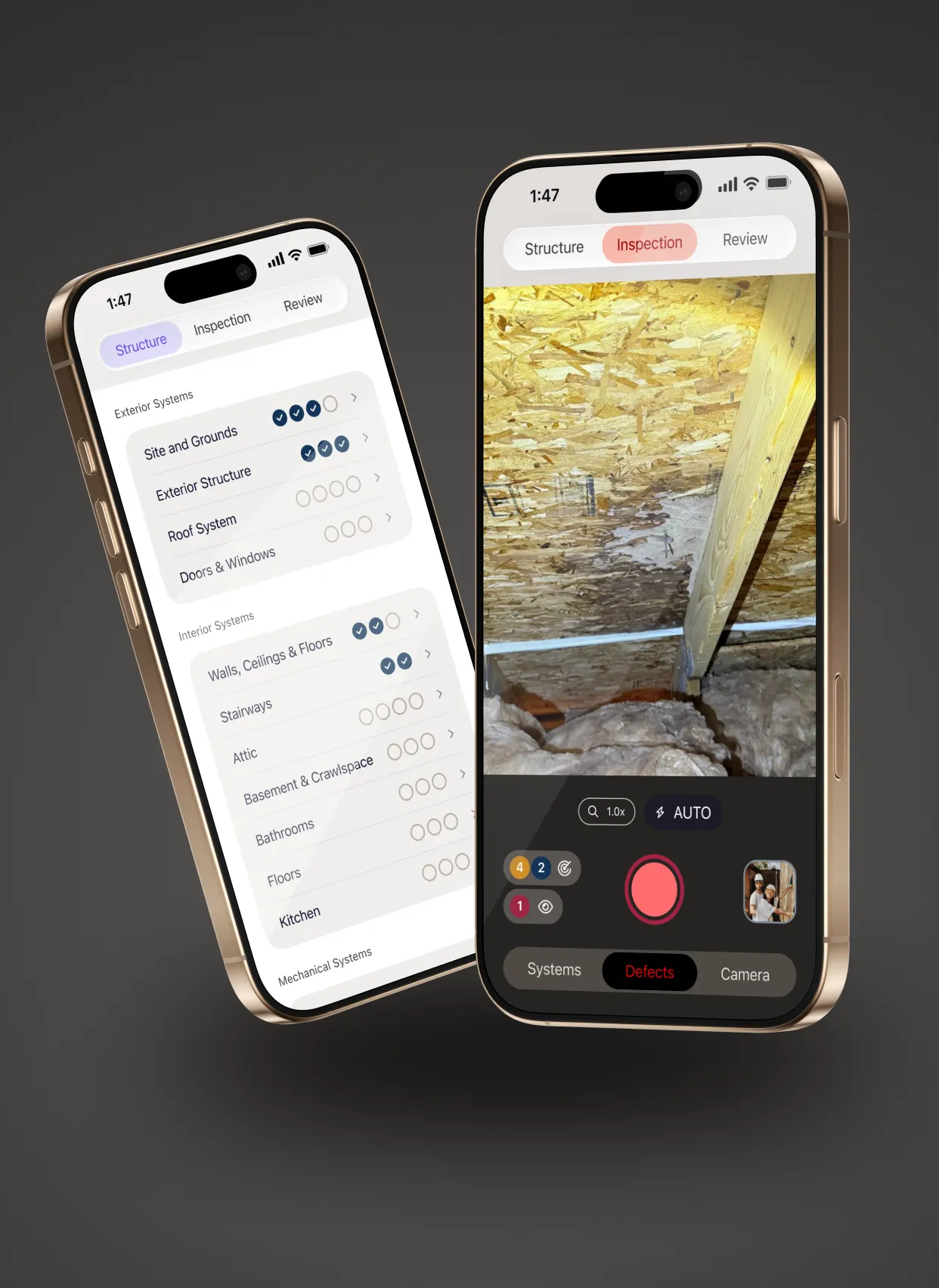
Defined the end-to-end workflow for home inspectors and shaped the feature set for an AI-assisted reporting tool. Designed a camera-first mobile experience that classifies defects and systems automatically, then compiles inspection-ready reports.
Overview
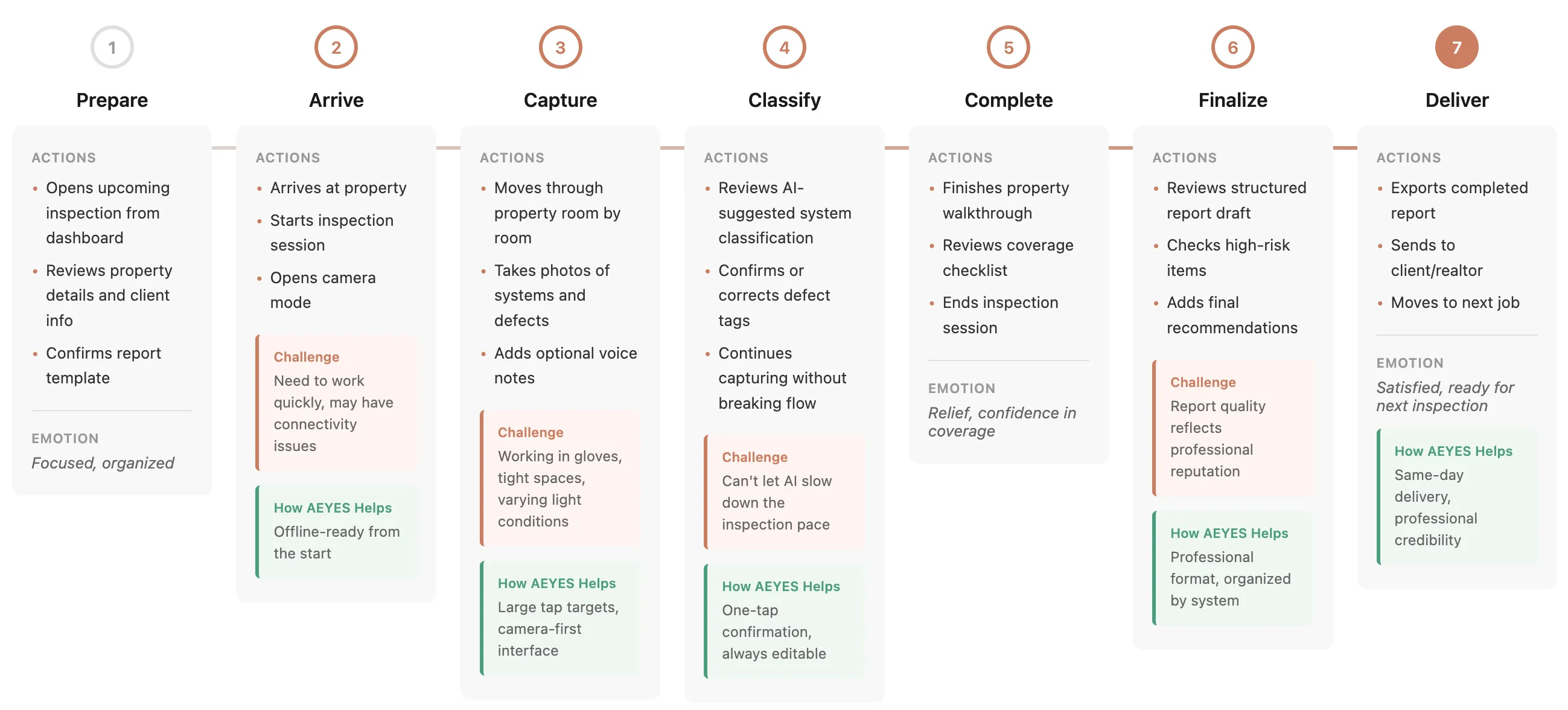
AEYES is a mobile app for home inspectors who need to document findings efficiently and deliver professional reports to clients and realtors. The core insight: inspectors already take hundreds of photos during inspections, but spend hours afterward organizing them into systems and writing descriptions. I joined at the concept stage to define the UX strategy, map the complete user journey from on-site capture to report delivery, and design an experience that works within real-world constraints — gloves, ladders, spotty connectivity, and time pressure. The result is a camera-first workflow that uses AI to suggest system classifications and defect tags in real-time, keeping inspectors moving through properties while the app builds their report in the background.
The Team
The product started when a working home inspector approached me with the idea — tired of the hours of paperwork that came after every job. A home inspector instructor joined as the domain expert, and a senior developer built the engineering side. From early on we ran the work past a closed group of beta-testing inspectors who used pre-release builds on real jobs. Their field feedback caught issues no office assumption could have predicted and forced us to change concepts where the original design didn’t match how inspections actually work.
Problem
Home inspections generate hundreds of photos and notes that inspectors must later organize by system, label, and translate into structured reports. This manual processing happens after the inspection when inspectors are fatigued and working from memory, increasing the risk of missing details or misclassifying findings. On-site, inspectors face physical constraints — moving room to room quickly, often without reliable connectivity, unable to stop for complex data entry. Traditional inspection software requires deliberate manual categorization during or after the job, creating a bottleneck between completing inspections and delivering reports.
Solution
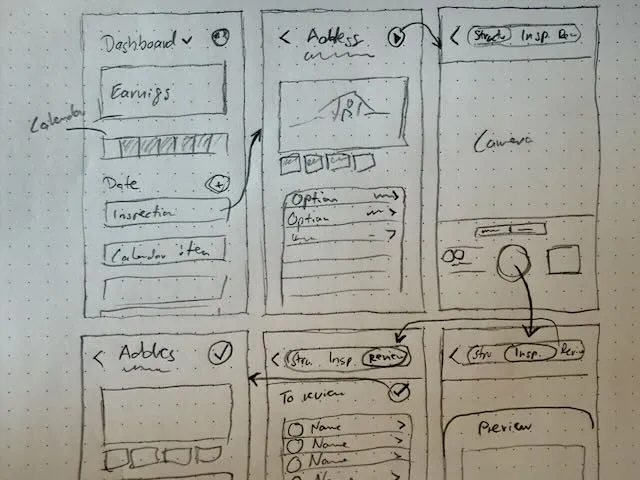
I designed a camera-first workflow where inspectors capture photos in context and the app suggests system classifications and defect tags in real-time. The UX keeps inspectors focused on the property — AI suggestions are quick to confirm, edit, or override, maintaining inspector control while eliminating manual sorting later. I defined an information architecture that connects each photo to building systems, room locations, and severity levels, feeding directly into an automated report draft. The interaction model prioritizes speed during inspection: capture, quick-tag, move on. Review and refinement happen at the end in a dedicated step before sending, not during the time-pressured walkthrough.
Key Design Decisions
Lightweight Confirmation Over Full-Screen Classification
Early explorations compared two approaches — requiring inspectors to classify each photo in a full-screen modal versus offering quick AI suggestions with optional refinement. We chose the lightweight overlay because it keeps the camera session active and maintains inspection momentum. Inspectors accept suggestions with a single tap or correct them without losing their place.
Defer Detailed Review Until End of Inspection
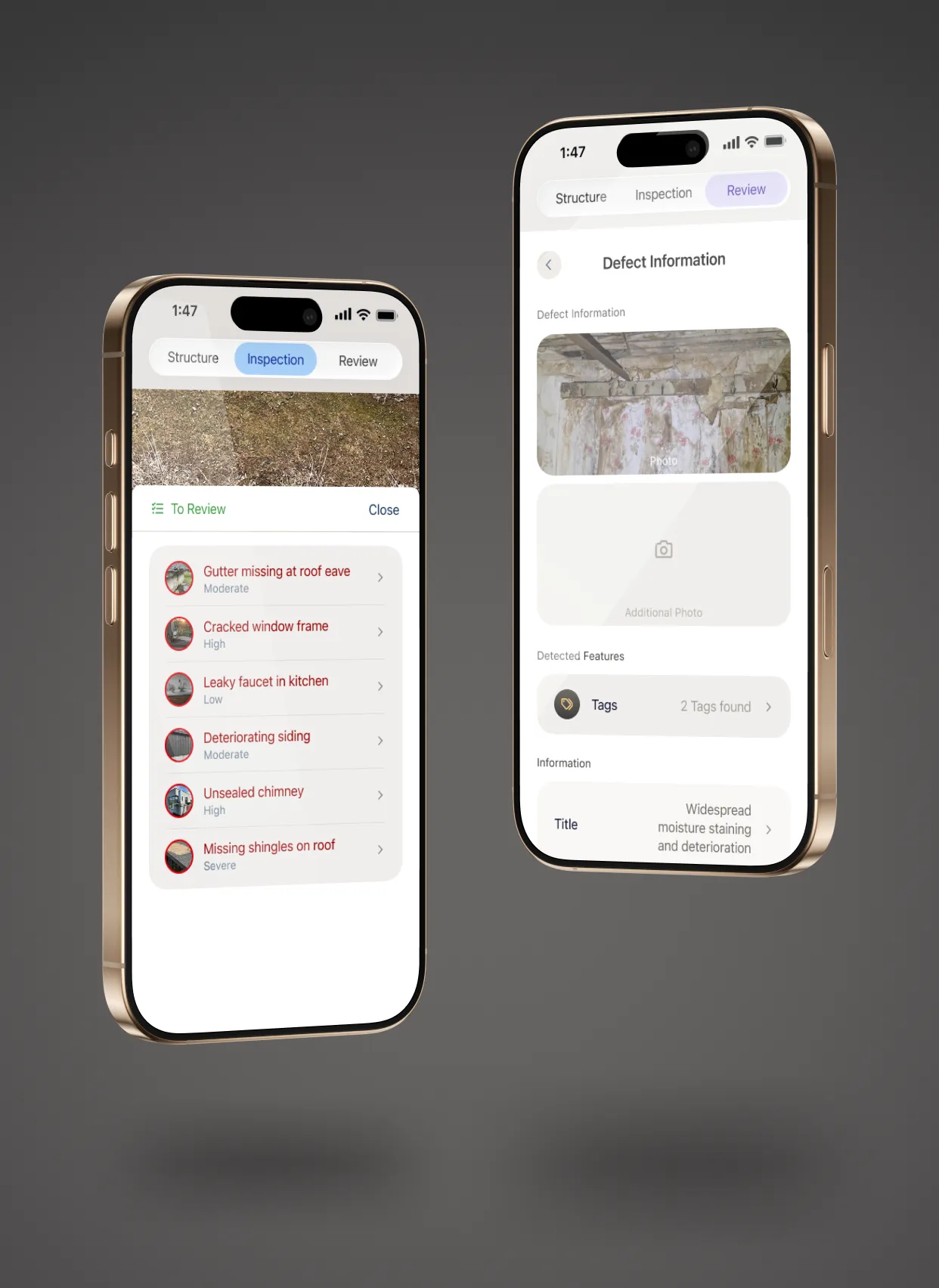
Rather than forcing complete accuracy during capture, the workflow separates quick on-site tagging from thorough report review. Inspectors are under time pressure while moving through properties but have more focus when sitting down to finalize reports. The app builds a draft continuously in the background, then presents it for verification and refinement as a dedicated final step.
System-First Information Architecture
We organized reports by building system (roof, HVAC, electrical, plumbing) rather than chronologically by room or capture order. This matches how inspectors think about properties and how clients consume reports. It also makes it easier to spot coverage gaps — if the electrical section feels thin, the inspector knows they missed something before leaving the property.
Offline-First, No Apologies
Offline operation is the default assumption, not a fallback. The UI never promises real-time sync or cloud features during inspection. Inspectors know exactly when their data syncs and never worry about losing work in a dead zone.
UI Design
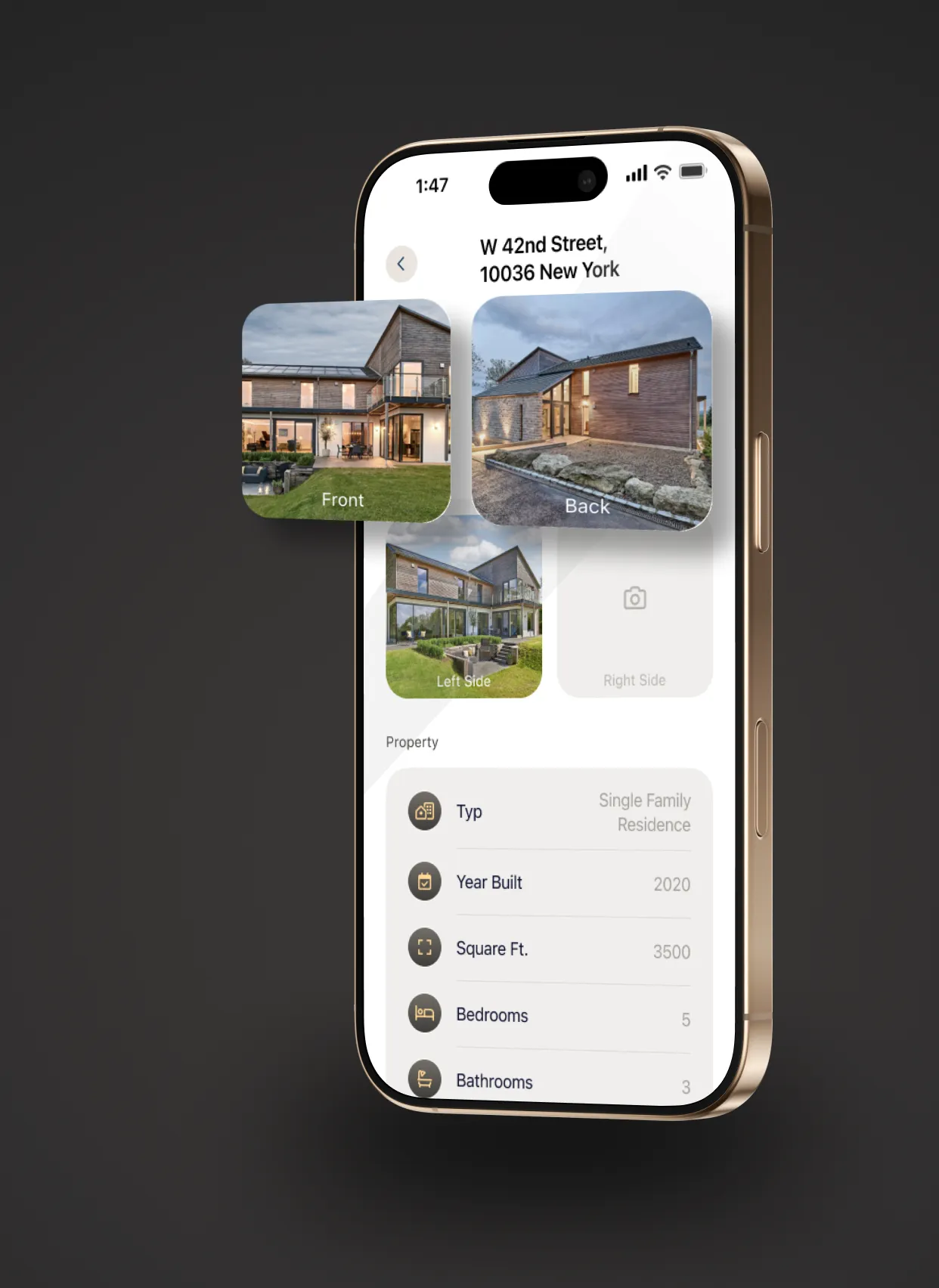
Inspectors work in challenging environments — dark basements, tight attics, bright exteriors, often wearing gloves — so the interface prioritizes large tap targets, high contrast, and minimal text input. AI classifications appear as compact suggestion modules with clear labels rather than technical jargon, and every suggestion has a visible edit path so inspectors keep control of the data their reputations depend on.
The report preview follows a consistent system-based structure with photo-first evidence and standardized defect formatting, creating professional deliverables rather than photo dumps. Offline capture and deferred sync are built into the interaction model from the start, setting clear expectations and eliminating data loss anxiety.
Where I Was Wrong
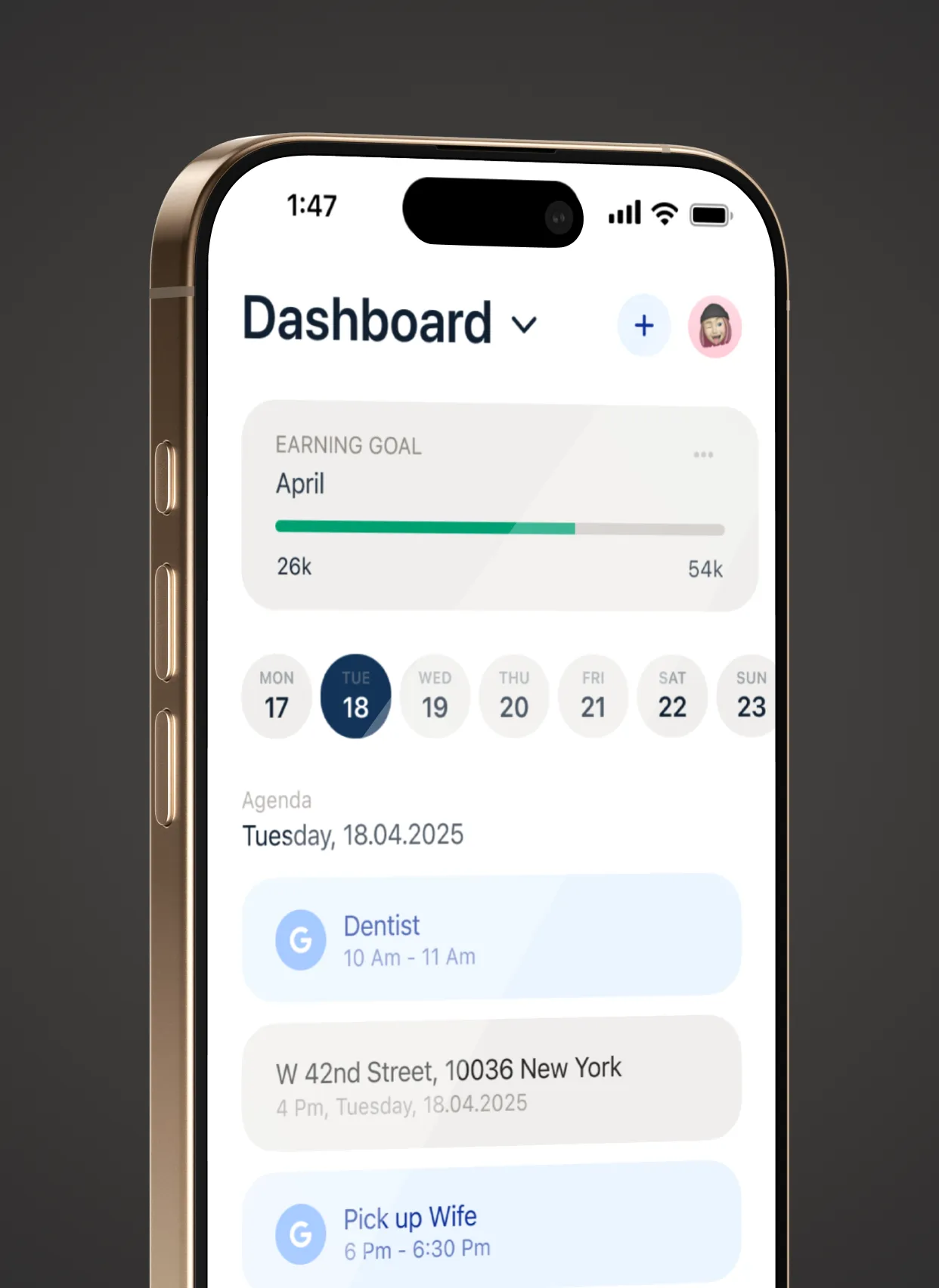
The first version of the app was planned and designed by me as a standalone mobile app, focused on the on-site inspection work itself. Testing and real-world use surfaced the problem: inspectors needed the surrounding workflow too — scheduling, reporting, data management. We’d also leaned too heavily on one specific kind of home inspector early on, which turned out to be a miscalculation. As we started to understand the wider scope, we expanded the founding team to include a home inspection instructor whose deep industry knowledge helped us reshape the product around the full range of inspection needs.
Learnings
- Trust in AI assistance came from editability and accountability, not from hiding complexity or promising perfection.
- A camera-first workflow only succeeds when classification stays one tap away and never blocks capture.
- Defining the information model early — systems, defects, severity, location — prevented later rework and made the report output feel consistent and professional.
What’s Next
- A confidence-based review queue so low-confidence items get checked first before export.
- Templates by inspection type (condo, single family, older homes) to improve coverage and report consistency.
- A post-launch study to measure time saved and identify where inspectors still revert to manual notes.
Impact
Shipped from concept to market in under a year. The product creates a direct connection from on-site evidence to professional deliverable, reducing post-inspection admin from hours to minutes and removing the bottleneck between completing inspections and delivering reports.
Selected Visuals